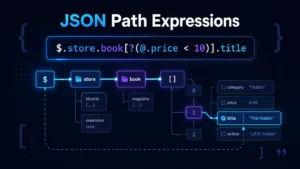
JSON Path Finder - Find JSONPath Instantly Online
Explore, search and navigate JSON with the fastest online JSON Path Finder. Upload or paste any JSON document to instantly generate JSONPath, JSON Pointer, dot notation, and bracket notation for any node. Built for developers working with APIs, configuration files, and large JSON datasets.
Drop your JSON file here
or click to browse
File uploaded successfully!
Error loading file
$
$
What is JSON Path Finder?
JSON Path Finder is a browser-based developer tool that helps you explore, search, and navigate JSON documents while automatically generating the exact path to any value.
If you need to debug REST API, inspect GraphQL responses, work with Postman collections, or analyze configuration files, JSON Path Finder makes it easy to find data inside deeply nested JSON structures.
Unlike traditional JSON viewers that struggle with large files, JSON Path Finder uses a virtual tree rendering engine that only displays visible nodes β making it possible to work with JSON files containing hundreds of thousands of nodes without performance degradation.
Everything runs locally inside your browser. Your JSON is never uploaded to a server, making it safe to inspect sensitive API responses and private datasets.
β‘ Instant Path Generation
Click any node to instantly generate JSONPath, dot notation, bracket notation, or JSON Pointer paths.
π Powerful Search
Search across keys and values with text search or advanced JSONPath queries.
π¦ Large File Support
Handle JSON files up to 100MB with optimized parsing and memory management.
Features
Ultra-fast rendering
Renders JSON trees instantly, even for files with thousands of nodes.
Virtual tree
Only visible nodes are rendered. Scroll through massive datasets without lag.
JSONPath generation
Click any node to instantly generate its JSONPath, dot notation, or bracket path.
Bookmarks (Extension)
Save frequently accessed paths for quick reference across sessions.
Large file support
Handles JSON files up to 100MB with optimized parsing and memory management.
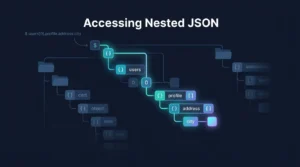
Dark mode (Extension)
Easy on the eyes during late-night debugging sessions.
How to Find a JSON Path
Finding a JSON path is simple.
Paste or Upload JSON
Paste JSON directly into the editor or open a local JSON file.
Explore the JSON Tree
Expand objects and arrays just like a file explorer.
Click Any Node
Select any key, object, array element, or value.
Copy the Generated Path
Instantly copy one of the supported formats:
No manual counting of array indexes or nested objects is required.
Common Use Cases
Developers use JSON Path Finder every day for:
If you're a frontend developer, backend engineer, QA tester, DevOps engineer, or data analyst, JSON Path Finder helps you find data faster.
Why Use JSON Path Finder?
| Standard JSON Viewer | JSON Path Finder |
|---|---|
| Browse JSON | β |
| Search Keys | β |
| Search Values | β |
| Generate JSONPath Automatically | β |
| Generate JSON Pointer | β |
| Dot & Bracket Notation | β |
| Virtual Tree Rendering | β |
| Handles Large Files | β |
| Works Offline | β |
| Runs Entirely in Browser | β |
JSON Path Finder combines the features of a JSON viewer, JSON explorer, JSONPath generator, and JSON search tool into one fast interface.
Frequently Asked Questions
What is JSONPath and how does it work?
$.store.books[0].title to navigate through nested structures. JSON Path Finder automatically generates JSONPath expressions as you explore your JSON data, making it easy to reference specific nodes in your code or API calls. How do I find a JSON path?
Is my data secure when using JSON Path Finder?
What path formats are supported?
- Dot notation:
$.store.books[0].title - Bracket notation:
$["store"]["books"][0]["title"] - JSONPath:
$.store.books[0].title - JSON Pointer:
/store/books/0/title
Can I use JSON Path Finder offline?
Can I work with large JSON files?
Latest Articles
View all
Chrome Extension
Explore JSON directly in your browser. Right-click any JSON response to open it in JSON Path Finder β no copy-pasting required. Works with any API endpoint or JSON file.