
JSON Path Expressions Explained (With Examples)
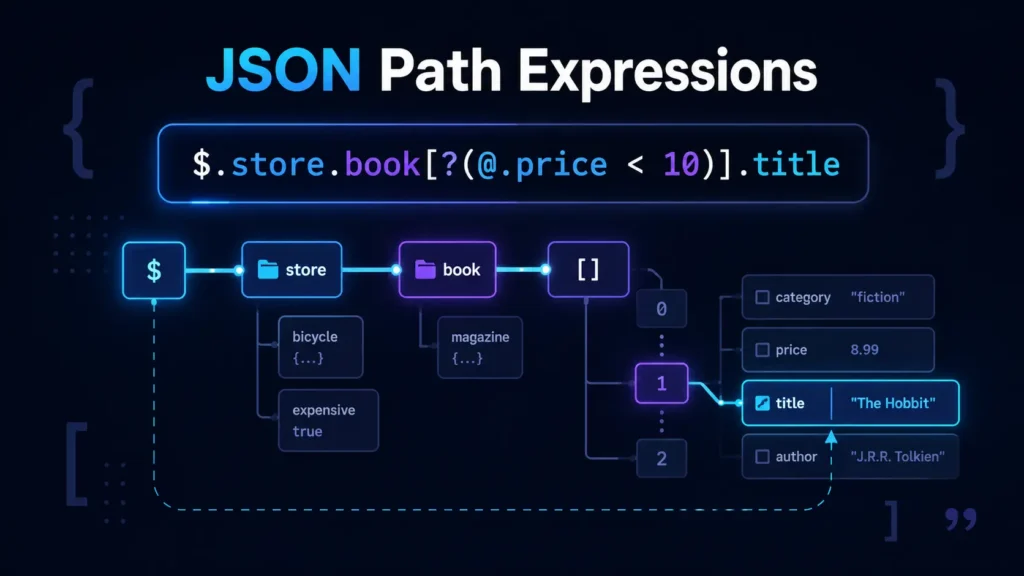
The first time I hit a JSON path expression in production code, I stared at $.store.book[?(@.price < 10)].title for a solid minute wondering what half of those symbols were doing. If you’ve ever felt that same low-grade panic, this guide is for you.
Below is a proper walkthrough of JSON path expressions explained the way a coworker would explain them at your desk — no jargon soup, just the syntax, the operators, the gotchas, and ten examples you can actually use. If you’re brand new to JSONPath entirely, start with Complete Guide to JSON Path for the full overview — this article zooms in on expression syntax specifically.
If you want to test any of these live as you read, paste your JSON into the JSON Path Finder tool and click a node — it’ll spit out the exact expression.
What a JSON Path Expression Actually Is
Think of JSON as a nested folder structure. A JSON path is just the directions to a specific file inside that structure. Instead of writing loops to dig into data["users"][0]["email"], you write one string — $.users[0].email — and a JSONPath engine walks the tree for you.
That’s it. That’s the whole idea. Everything else is syntax sugar on top.
JSONPath was originally proposed by Stefan Gössner in 2007 as a JSON-flavored version of XPath. In 2024, it was formalized as https://datatracker.ietf.org/doc/html/rfc9535, which cleaned up a lot of ambiguity between the older implementations.
Here’s the JSON we’ll use for the rest of the article:
{
  "store": {
    "book": [
      { "category": "fiction", "author": "Herman Melville", "title": "Moby Dick", "price": 8.99 },
      { "category": "fiction", "author": "J.R.R. Tolkien", "title": "The Lord of the Rings", "price": 22.99 },
      { "category": "reference", "author": "Nigel Rees", "title": "Sayings of the Century", "price": 12.50 }
    ],
    "bicycle": { "color": "red", "price": 399 }
  },
  "expensive": 10
}
Expression Syntax at a Glance
Every JSON path expression is built from a few small pieces:
- A root identifier (
$) - Selectors that pick children (
.name,['name'],[0],[*]) - Descent operators that dig deeper (
..) - Filters that make decisions (
[?(...)]) - Slices that grab ranges (
[start:end:step])
Chain them together and you get a query. That’s the entire mental model.
The Core Operators
$ — The Root
Every expression starts here. $ means “the top of the document.”
$              → the whole JSON
$.store        → the store object
$.expensive    → 10
Some engines also accept @ to mean “the current node” inside a filter. More on that in a second.
. — Dot Notation (Child Selector)
Dot notation is the readable one. It’s how you’d probably describe a path out loud.
$.store.bicycle.color → "red"Rules of thumb:
- Works only for keys that are valid identifiers (letters, digits, underscores, no spaces).
- Case-sensitive.
$.Storeis not$.store. - Can’t handle keys with dots, hyphens, or spaces inside them.
[] — Bracket Notation
Bracket notation is the flexible one. Use it when dot notation can’t cope.
$['store']['bicycle']['color']   → "red"
$['user-name']                   → works; $.user-name would break
$['first name']                  → works; dot notation can't do this
Brackets also handle array indexes:
$.store.book[0].title    → "Moby Dick"
$.store.book[-1].title   → "Sayings of the Century"   (last item, in most engines)
Dot vs Bracket Notation
Both notations point at the same thing when they can. Here’s the quick comparison developers usually want:
| Situation | Dot notation | Bracket notation |
|---|---|---|
Simple key (title) | ✅ $.title | ✅ $['title'] |
Key with a hyphen (user-id) | ❌ | ✅ $['user-id'] |
Key with a space (full name) | ❌ | ✅ $['full name'] |
Key with a dot (v1.0) | ❌ | ✅ $['v1.0'] |
| Array index | ❌ | ✅ $.items[0] |
| Variable key at runtime | ❌ | ✅ $['${key}'] |
| Readability | ✅ | ⚠️ noisier |
My habit: dot everywhere it’s legal, brackets the moment the key has anything weird in it. Mixing them in one expression is completely fine — $.store['book'][0].title runs.
* — Wildcard
Grab every direct child, whatever it’s called.
$.store.*             → the book array AND the bicycle object
$.store.book[*]       → every book
$.store.book[*].title → every book's title
* is a lifesaver when you don’t know the keys ahead of time — think API responses with dynamic IDs.
.. — Recursive Descent
Two dots means “search every level below here.” It’s the closest thing JSONPath has to a spotlight.
$..author        → every author anywhere in the document
$..price         → every price, including the bicycle's
$.store..price   → same thing, but scoped to the store
Handy, but use it with care. On a huge document, .. walks the entire tree, which isn’t free.
[start:end:step] — Array Slicing
Same slicing syntax you already know from Python.
$.store.book[0:2]     → first two books
$.store.book[-2:]     → last two books
$.store.book[::2]     → every other book
Filter Expressions
This is where JSONPath stops being a lookup language and starts feeling like a proper query language. Filters live inside [?(...)] and use @ to refer to the current item being tested.
Comparison operators available in most engines: ==, !=, , <=, >, >=, plus logical &&, ||, and !.
$.store.book[?(@.price < 10)]                   → cheap books
$.store.book[?(@.category == 'fiction')]        → all fiction
$.store.book[?(@.price < $.expensive)]          → cheaper than the "expensive" threshold
$.store.book[?(@.author && @.price > 20)]       → has an author AND costs more than 20
A few things that trip people up:
- Strings usually go in single quotes inside a filter.
@refers to the current element being filtered — not the root.- Regex support (
=~) exists in some engines (Jayway, for example), but not in RFC 9535. Check your library.
10 Real JSON Path Examples
These use the JSON from the top of the article. Try them in the JSON Path Finder online tool to see the results side by side.
1. Every book title
$.store.book[*].title2. First book’s author
$.store.book[0].author3. Last book (negative index)
$.store.book[-1]4. Books cheaper than $10
$.store.book[?(@.price < 10)]5. Only titles of fiction books
$.store.book[?(@.category == 'fiction')].title
6. Every price in the document
$..price7. Books priced between 10 and 20
$.store.book[?(@.price >= 10 && @.price <= 20)]8. The 2nd and 3rd book only
$.store.book[1:3]9. Any node with an author field
$..[?(@.author)]10. Titles of books above the “expensive” threshold
$.store.book[?(@.price > $.expensive)].titleIf you’re new to reading these results, the companion guide How to Read JSON Paths: A Beginner’s Guide walks through the output format step by step.
JSONPath Cheat Sheet
Bookmark this section — it’s the one you’ll actually come back to.
| Symbol | Meaning | Example |
|---|---|---|
$ | Root of the document | $ |
@ | Current node (inside filters) | @.price |
.name | Child by name (dot) | $.store |
['name'] | Child by name (bracket) | $['store'] |
[n] | Array index | $.book[0] |
[-n] | Index from the end | $.book[-1] |
[*] | All array elements | $.book[*] |
.* | All child keys | $.store.* |
.. | Recursive descent | $..author |
[a:b:c] | Slice (start:end:step) | $.book[0:2] |
[?(...)] | Filter expression | $.book[?(@.price<10)] |
[a,b] | Multiple keys or indexes | $.book[0,2] |
Pros and Cons of Using JSONPath
Pros
- One-liner queries instead of nested loops.
- Portable across languages — Python (
jsonpath-ng), JavaScript (jsonpath-plus), Java (Jayway), Go, and more. - Great for config lookups, API testing, log parsing, and CI checks.
- Filters let you express real logic without leaving the string.
Cons
- The spec was fragmented for years, so engines behave slightly differently. RFC 9535 helps, but not every library is fully compliant yet.
- Recursive descent (
..) is easy to overuse and can be slow on big documents. - Filter syntax has real edge cases around types and quoting.
- No standard way to mutate JSON — it’s a read-mostly tool. For editing, look at JSON Patch (RFC 6902).
Common Gotchas
A few things I’ve been bitten by, so you don’t have to be:
- Missing keys aren’t errors. They just return empty. Great for resilience, bad if you assumed a value was there.
- Filter results are always arrays, even when only one item matches.
- Types matter in comparisons.
@.price == '10'(string) won’t match10(number). $is not optional in some engines. In others it is. Always include it — you’ll thank yourself later.- Escaping. Inside
['...'], escape quotes with\'. Inside filters, mind your regex characters.
FAQ
JSON Pointer (RFC 6901) is simpler — it addresses a single location and uses /store/book/0/title. JSONPath is more of a query language, with filters, wildcards, and recursion. Pointer for pinpointing, JSONPath for searching.
No. jq is its own query language with a much richer feature set (pipes, transformations, arithmetic, output shaping). JSONPath is smaller and easier to embed, which is why it’s what most APIs and testing tools reach for.
Dot when the key is a plain identifier, bracket the moment there’s a space, hyphen, dot, or dynamic value. Both compile to the same operation.
Not really. JSONPath is designed to read. Some libraries add a set helper, but for anything serious, use JSON Patch or handle the write in your application code.
Not in the RFC 9535 core. Some engines (like Jayway) extend it with =~. If you need regex, check your library’s docs — and be ready to fall back to code.
Historically each engine picked its own rules — especially around filters, negative indexes, and script expressions. RFC 9535 is the fix, but adoption is uneven. When in doubt, stick to the operators covered above; they work almost everywhere.
Where to Go Next
You’ve now got the syntax, the operators, the filter grammar, and ten patterns you can adapt to your own data. Try them against a real payload — an API response, a config file, a package.json — and you’ll internalize this in an afternoon.
The fastest way to build muscle memory is to click your way to expressions instead of typing them. Load your JSON into JSON Path Finder, click on any value, and copy the path. Once you’ve done that a few dozen times, writing them from scratch feels obvious.